S3P
S3P computes the scattering parameters of RF components in the frequency domain. Given a structure with one or more waveguide ports, it drives each port mode in turn at a chosen frequency, solves the resulting linear system, and reports how much power is reflected and transmitted into every port mode. Repeating over a range of frequencies gives the S-parameters versus frequency.
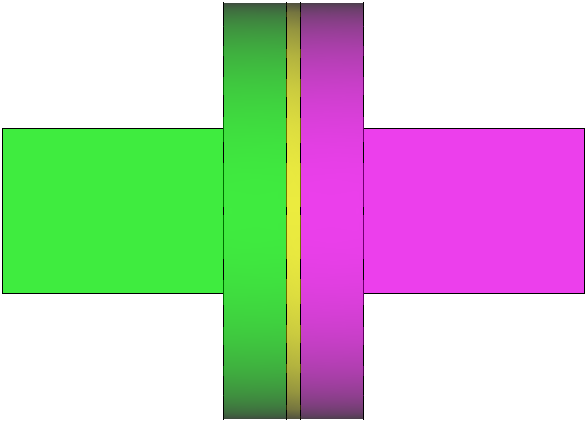
Typical applications:
- Matching of waveguide components: bends, tapers, transitions
- RF loads and absorbers
- Coupler design for traveling-wave accelerator structures
- RF windows and ceramic breaks
- Loaded Q from the width of a transmission resonance
What it solves
A port is a cross-section of a waveguide, treated as if the guide continued to infinity beyond it. At each port the field is expanded in the guide's own modes. With incident amplitudes \(a\) and outgoing amplitudes \(b\) collected over all port modes, the structure is characterized by
where \(\mathbf{S}\) is the scattering matrix. \(|S_{ii}|\) is the reflection at port mode \(i\), and \(|S_{ji}|\) is the transmission from port mode \(i\) to port mode \(j\). For a lossless two-port with one propagating mode each, \(|S_{11}|^2 + |S_{21}|^2 = 1\).
S3P solves the driven vector wave equation with the same high-order finite elements as Omega3P. Each frequency point and each excited port mode is one linear solve, so the cost scales with the number of frequency points times the number of port modes.
Input file
Every block and key is described in the S3P command syntax.
The input <project>.s3p uses the common blocks plus FrequencyScan, one Port block per port, and a PostProcess block that selects which excitation to save fields for.
ModelInfo: {
  File: ./90DegreeBend.ncdf
  BoundaryCondition: {
    Exterior: 6
    Waveguide: 7, 8
  }
}

FiniteElement: {
  Order: 2
  CurvedSurfaces: on
}

FrequencyScan: {
  Start:    9.424e+9
  End:      12.424e+9
  Interval: 0.25e+9
}

PostProcess: {
  Toggle: on
  PortNumber: 7      // save field files only for excitation from port 7
}

Port: {
  ReferenceNumber: 7
  NumberOfModes: 2
}

Port: {
  ReferenceNumber: 8
  NumberOfModes: 2
}
FrequencyScan block
| Key | Meaning |
|---|---|
Start |
First frequency in Hz. Required. |
End |
Last frequency in Hz. Set equal to Start for a single-frequency calculation. |
Interval |
Step in Hz. Defaults to one tenth of the range. |
Every frequency point is an independent solve. Choose Interval coarse enough to keep the run short and fine enough to resolve any resonance you expect. Rerun with a narrower range and finer step around features of interest.
Port block
Port: {
  ReferenceNumber: 7     // sideset of the port surface
  NumberOfModes: 2       // waveguide modes to load at this port
}
Every surface listed under Waveguide needs a Port block. S3P computes the guide's modes on the port surface numerically, writes their cutoff frequencies to 2dports.log, and uses the first NumberOfModes of them, ordered by cutoff. Load every mode that propagates anywhere in the scan range, plus one or two evanescent modes if the port is close to a discontinuity. Modes above cutoff that are not loaded carry power that S3P cannot account for, and the S-matrix will appear lossy.
PostProcess block
| Key | Meaning |
|---|---|
Toggle |
on writes field files for ParaView |
PortNumber |
Save fields only when this port is excited. Omit to save fields for every port excitation, which multiplies the output size by the number of ports. |
ModeFile |
Prefix for field files. Default s3p. |
Field files are written per frequency, per excited port mode, so a 13-point scan with two modes on the excited port produces 26 .mod files. Restrict PortNumber and the scan range when disk space matters.
Running
S3P is a pure MPI program; use one rank per core. Each frequency point is an independent linear solve, so a frequency scan costs the single-frequency time multiplied by the number of points. Results go to s3p_results/. System-specific batch scripts are in Batch jobs.
Output
Results go into s3p_results/ next to the input file.
| File | Content |
|---|---|
Reflection.out |
S-matrix magnitudes, one row per frequency. The header maps each matrix index to a port, mode, type, and cutoff. This is the file you plot. |
2dports.log |
Cutoff frequency and TE or TM type of every mode computed on each port surface |
PortRef7_0.out, PortRef8_1.out, ... |
The 2D port mode fields, one file per port and mode, for checking that the loaded modes are the ones you expect |
port_7/, port_8/ |
Port mode fields as .vtu for ParaView |
s3p.port7.mode0.f1.042400000E+10.mod |
3D field for excitation of port 7 mode 0 at 10.424 GHz. One per frequency per excited mode. |
s3p.output, s3p.log |
Full log and progress log |
VECTOR/ |
Raw solution vectors |
The head of Reflection.out for the mitered bend:
#Index mapping:
#          0 : Port 7, Mode 0, Type: TE (cutoff: 6.55719e+09 Hz)
#          1 : Port 7, Mode 1, Type: TE (cutoff: 1.31155e+10 Hz)
#          2 : Port 8, Mode 0, Type: TE (cutoff: 6.55719e+09 Hz)
#          3 : Port 8, Mode 1, Type: TE (cutoff: 1.31155e+10 Hz)
#Frequency[Hz]   S(0,0)          S(0,1)          S(0,2)          S(0,3)   ...
9.42400000e+09   3.23077414e-02  2.24462693e-04  9.99477918e-01  2.24779266e-04 ...
Column S(0,0) is the reflection of TE10 at port 7, and S(0,2) is its transmission into TE10 at port 8. The index mapping makes the columns unambiguous when ports carry several modes. Plot with any tool that reads whitespace-separated columns:
gnuplot -e 'set logscale y; plot "s3p_results/Reflection.out" using 1:2 with linespoints title "S11"'
Tutorials
The S3P tutorials build on the Cubit and acdtool steps from the Omega3P pillbox tutorial, which you should complete first.
- Mitered waveguide bend: a two-port component with chamfered corners, scanned across X band.
- Waveguide load: a one-port structure with a lossy dielectric wedge, built as two merged volumes.
- RF window: a ceramic disk in a pillbox between two waveguides, with on-axis field extraction through acdtool.